


Key Takeaways
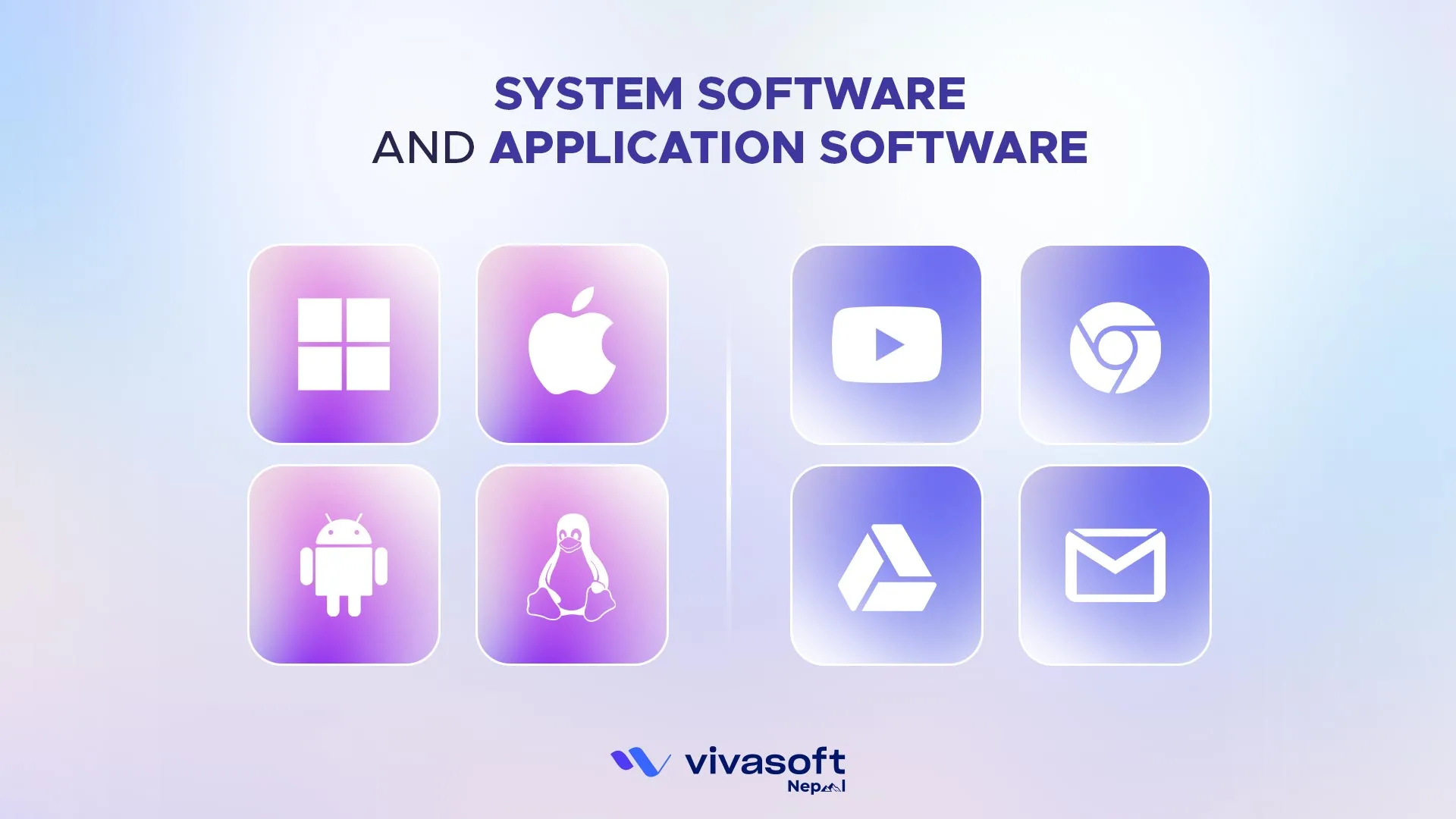
- System software manages hardware and system resources. It keeps your computer running, and without it, devices wouldn’t even start. It provides a platform for all other software to run, such as Windows, Linux, Android, and macOS. System software runs automatically at startup, operates in the background, and the device cannot function without it.
- Application software helps users perform specific tasks. These include word processing, web browsing, image editing and entertainment. It runs only when the user opens it and depends on system software to operate.
- The core difference: system software runs the machine. Application software lets you use it.
Software is a set of programs which perform specific tasks. It can be divided into two main types: system software and application software. In Nepal, these two types of software power everything from school computer labs and online banking to local startups and government offices.
This guide will explain the difference between system software and application software. We will cover what they are, their types, their functions and a simple comparison chart. This way, you will never mix them up.
System Software and Application Software: A Quick Comparisons
Before going into the detail of system software vs application software, the table below gives you a quick reference to orient yourself.
| Attribute | System Software | Application Software |
|---|---|---|
| Primary purpose | Manages hardware and system resources | Helps users perform specific tasks |
| Who it serves | The computer itself | The end user |
| Nature | Mandatory for the device to function | Optional, installed based on need |
| Installation | Pre-installed by the manufacturer | Installed by the user after setup |
| User interaction | Minimal, runs silently in the background | High, users interact with it directly |
| Language used | Low level (C, Assembly) | High level (Python, Java, C#) |
| Dependency | Works independently, closest to hardware | Cannot run without system software |
| Can it be removed | No. Removing it disables the device | Yes. Can be uninstalled at any time |
| Error impact | System-wide crash affects everything | Only that single application crashes |
| Update frequency | Slow, exhaustively tested before release | Frequent, sometimes multiple times per week |
| End-user visibility | Invisible, runs in the background | Visible, the interface the user sees |
| Portability | Platform-specific (tied to hardware architecture) | Often cross-platform or browser-based |
| Customisability by user | Not customisable by end users | Customisable settings, themes, and features |
| Startup behaviour | Runs automatically when the device powers on | Runs only when the user opens it |
| Programming interface | Communicates with hardware via machine level APIs | Communicates with system software via high level SDKs |
| Licensing | Often proprietary or open source (Linux) | Freeware, shareware, subscription (SaaS), proprietary |
| Cost | Can be free, freemium, or commercially licensed | Usually bundled with the device |
| Examples | Windows 11, macOS, Linux, Android, BIOS, device drivers | Microsoft Word, Zoom, Photoshop, Tally, Chrome |
What is System Software?
System software is the main set of programs that control computer hardware. It also provides a platform for application programs to run. It works in silence, in the background. It takes care of important tasks like memory management, file organization and system security. Without system software, your computer cannot boot or execute applications.
What Are the Types of System Software?
System software is not just one program. It has different parts. Each part helps the computer work properly. The main types include:
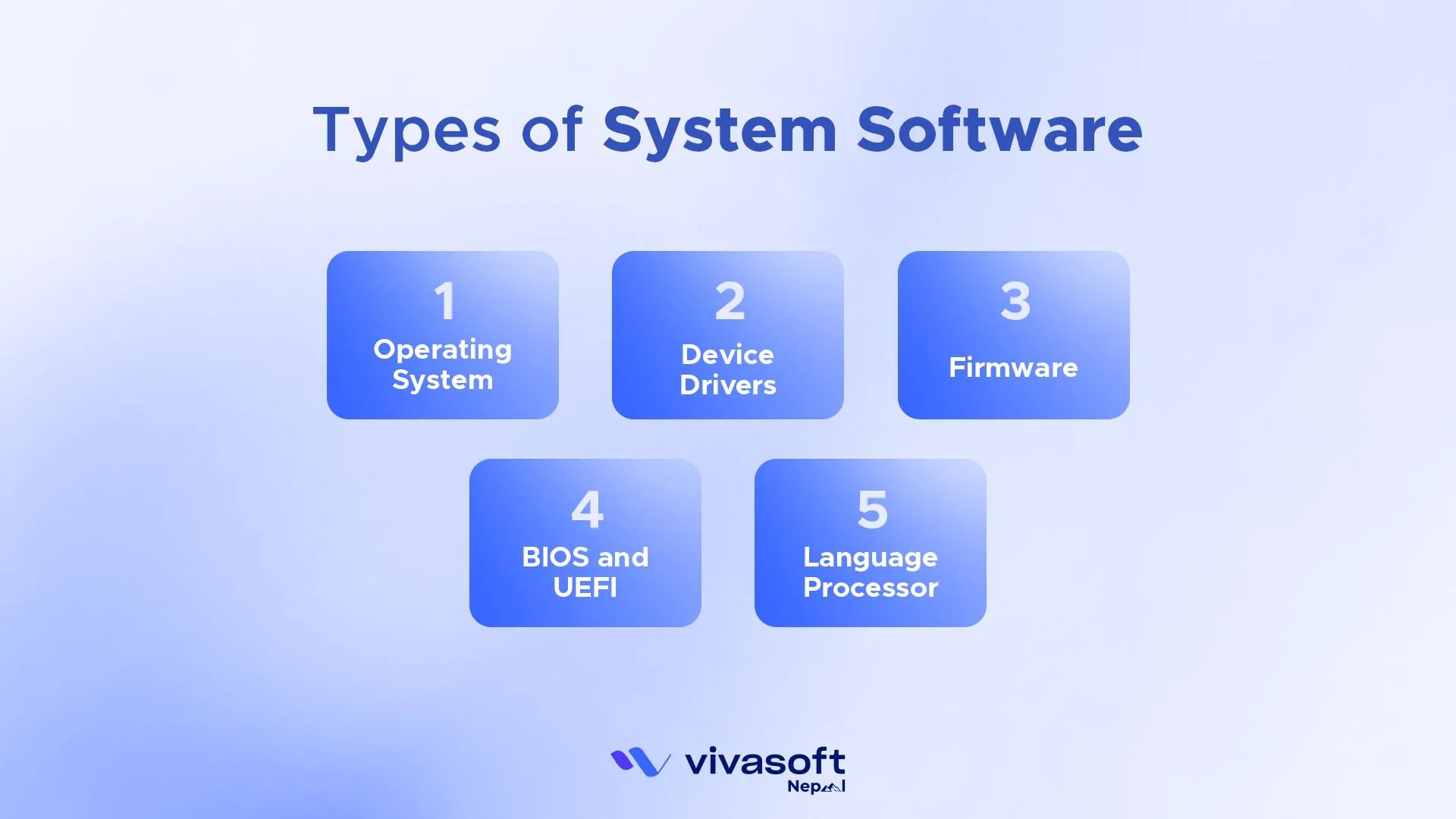
- Operating System (OS): The Operating System (OS) runs both hardware and software, with examples like Windows, macOS, Linux, Android, and iOS. If it fails, the device stops working. In Nepal, schools mostly use Windows, while tech firms prefer Linux servers.
- Device Drivers: Small programs that let the OS talk to devices. Without them, printers, keyboards or graphics cards will not work. If you plug in a new mouse, it needs a driver to respond.
- Firmware: This is software built into the hardware. It lets devices perform their basic functions. Motherboards and routers need firmware to work.
- BIOS and UEFI: These start the computer before the OS loads. They wake the machine. It is like turning a key in a car before the engine runs.
- Language Processors: These translate programming code into machine code. The system then knows what to do. Without them, the machine cannot understand instructions written by humans.
What Are the Key Functions of System Software?
System software does all the behind-the-scenes work to keep your device functional and protected. Some major functions include:
- Operating System Management: Runs the whole device. Gives the interface. Keeps apps and hardware working together. For example, when you open a browser, the OS makes sure it can use memory, display graphics and connect to the internet.
- Memory Management: Tracks memory use. Decides what memory gets. Prevents crashes. When you run many apps at once, memory management stops the system from freezing.
- File Management: Keeps files and folders in order. Lets users save, restore and update data without loss. When you search for a document, the file manager helps you find it.
- Processor Management: Tells the CPU how to run many tasks at once. Keeps speed steady. If you play music while browsing, processor management balances both.
System Security: Guards against attacks. Stops intruders. Protects data. Firewalls and antivirus tools are part of this security layer. - Scheduling: Scheduling arranges tasks and decides which process gets CPU time to keep the system running smoothly and support multitasking.
What Are the Key Features of System Software?
System software is built differently from a normal apps because it works close to the the hardware and controls the entire system.
- Written in Low-Level Languages: System software is usually written in low-level languages like C or a assembly. These languages allows direct communication with the hardware and give better controls over a memory and processors.
- High Stability and Reliability: It must be stable because if it crashes; the whole system stops. That’s why OS go through heavy testing before it release.
- Fast Execution Speed: Since it handles core operations; it runs very fast. It needs quick response time to manage hardware and system tasks smoothly.
- Platform Dependent: System software is built for a specific hardware architecture. For example, an operating system made for one processor type may not work on another without the modification.
- Minimal User Interaction: The users rarely interact directly with a system software. It runs silently in the background and performs essential operations automatically.
What are Advantages and Disadvantages of System Software?
Understanding the benefits and limitations of each type helps you make better decisions when choosing, building, or troubleshooting software.
Advantages of System Software
- Foundation for everything else: Without system software, no application software can run at all. It is the foundation that makes the rest of the computing stack possible. Everything depends on it being stable and available.
- Efficient hardware use: System software manages ?memory allocation, CPU scheduling, and input output operations in ways that get the most out of the hardware. Individual applications do not have to handle these concerns on their own.
- Security at the lowest level: Firewalls, kernel level access controls, and operating system permissions form a security layer that all applications running on top can benefit from. A properly hardened operating system makes the entire environment safer for every program running inside it.
- Stability across workloads: Modern operating systems are designed to run for months or even years without interruption. For servers running business critical applications, this kind of sustained reliability is not a nice feature. It is a requirement.
Disadvantages of System Software
- Complexity and real risk: Because system software operates close to the hardware, bugs in it can bring the entire machine down. A kernel error causes a full system crash, not just a single application failure. The consequences of getting it wrong are severe.
- Difficult to change: End users cannot customise system software the way they can application software. Making changes requires specialised knowledge and carries significant risk. That is why most people never touch it directly.
- Platform dependency: System software is tied to a specific hardware architecture. An operating system built for one processor family does not simply run on another without significant modification or translation layers added in between.
- Slower update cycles: System software updates must be tested exhaustively before they ship because the cost of failure is so high. That means users often wait longer for new features compared to what they would expect from a typical application.
What is Application Software?
Application software includes programs designed for user specific tasks. Examples are document creation, image editing and web browsing. It doesn’t control hardware like system software. Instead, it helps users achieve their desired outcomes. It runs only when the OS is active.
Put simply: system software makes the computer work. Application software lets you use it. Without apps, the computer may run, but it feels empty.
What Are the Types of Application Software?
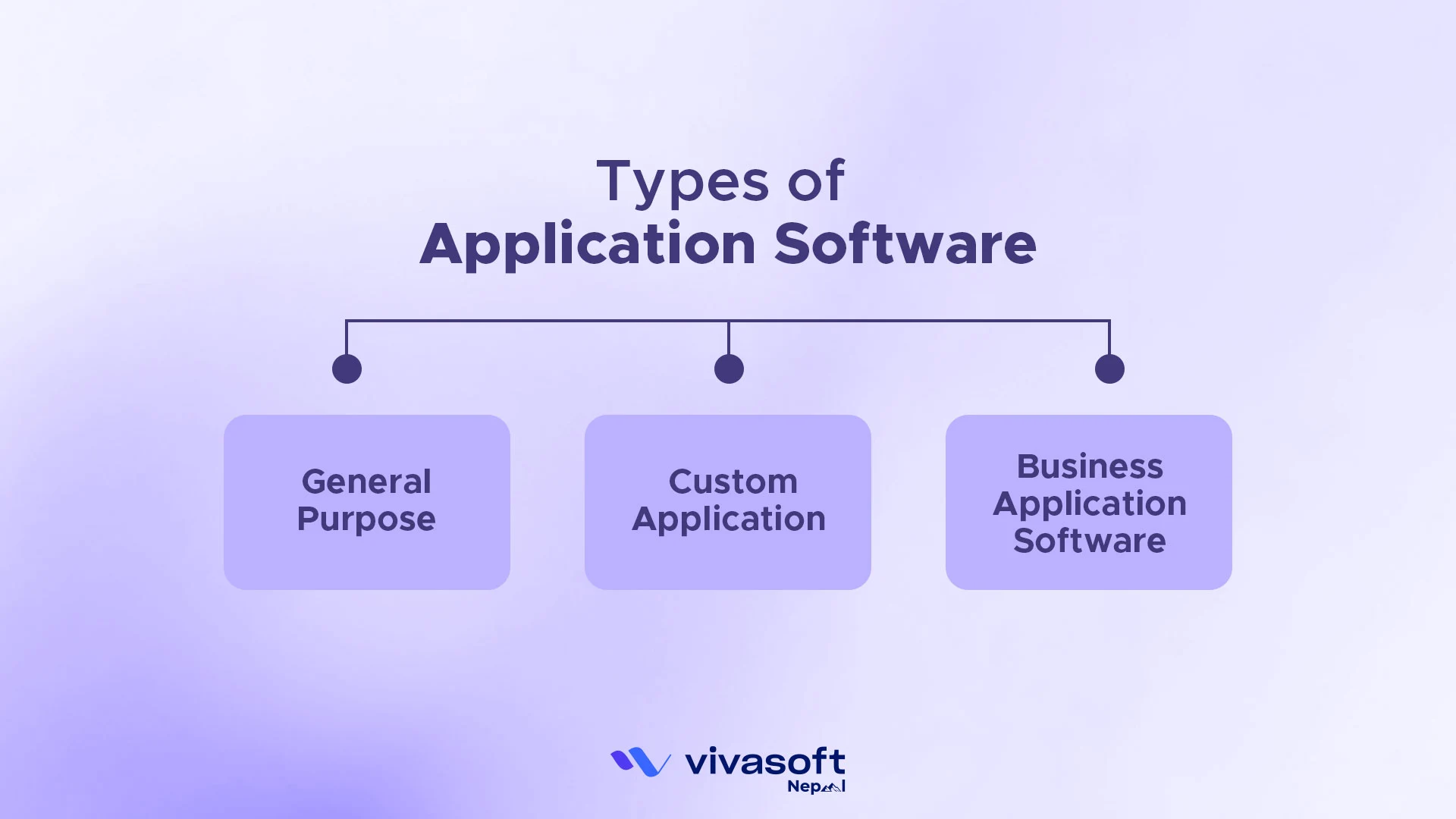
Application software has different types. Each type is made for a specific purpose:
What Are the Main Functions of Application Software?
- General Purpose: Used for everyday work. It can do many jobs in one program. This includes spreadsheets, web browsers and graphics tools. These programs make work simple and fast. These tools are common in schools, offices and homes across Nepal, where they make daily tasks simple and fast.
- Custom Application: Made for a specific business or person. It is built to meet exact needs. These programs are made using the custom software development process. In Nepal, many startups build custom apps for local markets, like e-learning tools or mobile payment apps.
- Business Application Software: Helps companies run day-to-day tasks. This includes accounting, payroll, inventory and customer management. It keeps work organized and helps the business run smoothly. Today, many businesses in Nepal use software like Tally or custom ERPs.
- Productivity Software: Used for writing, calculating, presenting, planning, and organising work. Microsoft Word and Google Docs handle word processing. Microsoft Excel and Google Sheets handle spreadsheets and data analysis. PowerPoint and Google Slides are used for presentations. Trello, Jira, and Asana are used for project management. Google Calendar and Microsoft Outlook are used for scheduling.
- Graphics and Multimedia Software: This software used for visual production. Adobe Photoshop and GIMP are used for image editing. Adobe Premiere Pro and DaVinci Resolve are used for video editing. Audacity handles audio recording and editing. Blender and Autodesk Maya are used for three-dimensional modelling and animation.
- Communication Software: This software is used to send messages, hold meetings, and share information between people. Microsoft Outlook and Mozilla Thunderbird manage email. WhatsApp, Slack, and Telegram handle instant messaging. Zoom, Microsoft Teams, and Cisco Webex deliver video conferencing. Facebook, LinkedIn, and Twitter are the main social platforms.
- Software as a Service (SaaS): SaaS is a modern delivery model where software is hosted in the cloud and accessed through a browser rather than installed on a local machine. Google Workspace, Salesforce, Shopify, and Canva are SaaS products.
Healthcare Software: Healthcare software helps clinics, hospitals, and healthcare professionals manage the entire patient care journey. Features include appointment scheduling, electronic health records, medical billing, prescription management, and remote consultation tools. It includes systems like Epic Systems Corporation (ESC), Practo, and custom hospital management software.
Educational Software: Educational software is developed to support learning, whether in a school setting, a corporate training center, or a self-study environment. With learning management systems like Google Classroom, Blackboard Learn, Schoology, aCanvas LMS and more teachers can upload course content, monitor student progress, administer assessments, and award certificates, all via we browser.
Entertainment and Gaming Software: It is used for entertainment, media consumption, or interactive play. Minecraft, Fortnite, and other video games are developed as application software. Application software such as streaming platforms like Netflix or Spotify streams content to you in your browser or as a native application on your device. The difference between entertainment software and other types of software is that what you’re receiving at the end of the day is an experience, not a productivity result.
Application software makes life easier. It does user-specific tasks such as.
- Information and Data Management: Stores and organizes data. Lets you find it fast. For example, a library app helps you search thousands of books in seconds.
- Document administration: Creates, edits and manages digital documents. It makes the traditional paperwork digital.
- Payroll, finance and accounting management: Manages salaries and pays employees on time. Keeps track of money spent and received. Helps the company know its financial health.
- ERP (Enterprise Resource Planning): Links sales, staff and stock in one system. Shows what is in inventory and what has been sold. Helps the business run without problems.
- CRM (Customer Relationship Management): It helps to track customer details, interactions and feedback. This makes relationships stronger and improves service.
- Development of visuals and video: Offers tools for designing graphics, editing photos and creating videos. These help make your ideas look great.
- Interpreting Data: Application software helps users understand data by converting numbers into simple charts, graphs, or visual information.
What Are the Features of Application Software?
Application software focuses on user needs. It is designed for interaction, flexibility and a user specific tasks.
- Written in High-Level Languages: Most application software is built using high-level languages like Java, Python or C#. These languages are easier to develop with and faster to update.
- Task-Focused Design: Each application is created to perform a specific job. Whether it is writing documents or a editing videos; the goal is clear and defined.
- User-Friendly Interface: Apps are made for people not machines. They have buttons, menus and visual so the users can figure them out and use them easily.
- Platform Flexibility: Many apps can run on different operating systems with small changes. Some even work just through a browser.
- Customizable Settings: Users can change themes, layouts or features. This makes apps fit personal or business needs better.
- Installable and Removable: Unlike system software, apps can be installed or removed anytime. If you don’t need it anymore; you can uninstall it without breaking the system.
What are Advantages and Disadvantages of Application Software?
Application software makes everyday tasks easier and faster, but it can also come with costs, updates, and occasional technical issues.
Advantages of Application Software
- Task focused design: Application software is built around a clear user goal. Whether you are editing a spreadsheet or managing customer records, every feature exists to serve that goal directly. Nothing is there by accident.
- Easy to use interfaces: Application software is designed for people, not machines. Menus, buttons, drag and drop interactions, and visual feedback make complex tasks accessible to users who are not technically trained.
- Simple to install and remove: Unlike system software, an application can be installed in minutes and removed without any consequence to the rest of the system. You stay in control of what lives on your device.
- Rapid improvement: Developers can push updates, new features, and bug fixes to application software frequently, sometimes several times a week, without the heavy testing burden that system software updates require.
- Works across platforms: Many modern applications run in a web browser, which makes them available regardless of what operating system you are running. A SaaS accounting tool works the same on Windows, macOS, or Linux.
Disadvantages of Application Software
- Dependent on system software: Application software cannot run without an operating system underneath it. When the OS crashes, every application running on top of it goes down too, regardless of how well the application itself was built.
- Vulnerable at the application layer: SQL injection, broken authentication, and cross site scripting are vulnerabilities at the application level that operating system defences cannot fully prevent. Each application needs its own security practices built in from the start.
- Heavy on storage and resources: Feature rich application software consumes significant disk space, RAM, and processing power. On older or lower specification hardware, this can slow things down noticeably or cause the application to fail entirely.
- Licensing and cost: Proprietary application software often requires ongoing subscription payments. For businesses running dozens of applications, those licensing costs accumulate quickly and become a significant budget line item.
- Version fragmentation: When an application updates, users still on older versions may lose compatibility with colleagues or clients who have already moved ahead. That coordination problem is more common than most people expect.
What Is Utility Software and How Does It Fit In?
System software and application software are the two main categories, but there is a third type that most people use every day without realising it: utility software.
Utility software sits between system software and application software. Its job is to help the operating system maintain, optimise, and protect the computer. If system software is the engine and application software is the set of tools the driver uses, utility software is the maintenance work that keeps the engine running properly over time.
| Type of utility software | What it does | Examples |
|---|---|---|
| Antivirus / Antimalware | Detects and removes malicious programs, spyware, and viruses | Windows Defender, Malwarebytes, Norton |
| Disk cleanup and optimisation | Removes temporary files, cached data, and unnecessary system files | CCleaner, Disk Cleanup (Windows) |
| Backup and recovery | Creates automatic copies of important data to prevent permanent loss | Windows Backup, Time Machine, Recuva |
| System monitoring | Real-time visibility into CPU, RAM, disk, and network usage | Task Manager, Activity Monitor, htop |
| Disk partitioning | Divides storage drives into separate logical sections | Disk Management (Windows), GParted (Linux) |
| Data encryption | Protects sensitive files from unauthorised access | BitLocker (Windows), FileVault (macOS) |
| Driver management | Scans and updates outdated or incompatible device drivers | Driver Booster, Windows Update |
What Is Middleware Software and Where Does It Fit?
If system software is the engine and application software is the tool the driver uses, middleware is the transmission. It connects them in a more specialised way and makes sure information flows smoothly between different parts of a system.
Middleware sits between the operating system and the applications running on top of it. It provides services that applications need but that the operating system itself does not supply. These include message passing between services, authentication handling, database connection pooling, API gateway routing, and transaction management.
Here is a real world example. When a mobile banking application in Nepal sends a payment request, that request travels through several middleware layers before it reaches the bank’s core system. An API gateway receives and routes it. An authentication service checks the user’s credentials.
A message broker ensures the transaction is recorded reliably even if part of the system is temporarily down. None of these are the operating system, and none of them are the user facing application. They are middleware, and without them the system would be fragile.
For software teams building distributed systems, microservices, or cloud native architectures, middleware is not an optional extra. It is what makes services composable, reliable, and resilient at scale. Common examples include Apache Kafka for message streaming, Redis for caching, NGINX as a reverse proxy, and AWS API Gateway for managing API traffic.
How Do System Software and Application Software Work Together?
System software and application software are not separate worlds. They are part of one connected stack where each layer depends on the layer below it. Understanding how they interact helps you troubleshoot problems faster, make better software decisions, and understand why a problem in one layer affects everything above it.
The computing stack works in this order:
Hardware (CPU, RAM, Storage, GPU) then System Software (Operating System, Device Drivers, Firmware) then Application Software (Word, Chrome, Tally, Zoom) then the User
When you open a photo editing application, the following happens in milliseconds:
- You click the app icon. The operating system receives the request.
- The OS loads the app into RAM. The memory management function allocates the space the application needs to run.
- The OS allocates CPU time. The processor management function gives the app enough processing power to run without starving other open programs.
- Device drivers activate. If the application needs the graphics card to render visuals, the GPU driver translates the app’s rendering instructions into commands the hardware understands.
- The app opens and runs. From your perspective it looks instant. In the background, system software coordinated every step.
- Any malfunction in the system software layer, whether that is a corrupted driver, a memory allocation failure, or a crashed OS process, immediately affects every application running on top of it. This is why IT teams prioritise system software stability before rolling out new business applications.
Why This Matters Practically
- Troubleshooting: When an application crashes, the first step is determining whether the fault is in the application itself or in a system software layer underneath it. A corrupted graphics driver can cause a video editing app to crash even when the app itself is perfectly fine. Knowing the difference cuts resolution time.
- Security: System level threats such as rootkits and kernel exploits require system level defences like firewalls and OS hardening. Application level threats such as SQL injection and broken authentication require application level defences like secure coding and input validation. Treating both with the same solution creates coverage gaps.
- Software development: Developers who understand how the OS manages memory, CPU scheduling, and I/O operations write applications that are faster, more stable, and scale better. In Nepal’s growing software development sector, teams that build with an understanding of the system software layer produce significantly fewer performance and compatibility issues at deployment.
How Is Software Licensed and Distributed in System Software and Application Software?
Beyond the system vs application classification, software is also grouped by how it is licensed and how access to its source code is managed. This matters for businesses and individuals choosing software because the licensing model determines what you can legally do with it, how much it costs, and what level of flexibility you have over time.
- Freeware: Freeware is free to download, use, and distribute indefinitely. The source code is not made available, so you cannot modify how it works. You can share it and install it on multiple machines at no cost. Common examples include Google Chrome, Adobe Acrobat Reader, Skype, and VLC Media Player.
- Shareware: Shareware is free for a trial period. After the trial ends, continued use requires payment. The source code is still not available, so the software cannot be modified. WinRAR is a well known example. Many antivirus products also use this model, offering a basic free version with a paid upgrade for full protection.
- Proprietary Software: Proprietary software requires a paid licence from the developer. The source code is protected and not shared. Usage is often restricted by the number of machines, the number of users, or the type of use. Microsoft Windows, Adobe Creative Cloud, and AutoCAD are proprietary products. For businesses in Nepal working with international clients, understanding and complying with software licensing terms is an increasingly important legal and operational requirement.
- Open Source Software: Open source software makes the full source code available for anyone to read, modify, and redistribute. It is usually built and maintained by a global developer community. Benefits include no licensing cost, the ability to modify the software to suit exact needs, security transparency because the code can be reviewed by anyone, and the ability to run it on multiple platforms. Linux, LibreOffice, Firefox, Android, and WordPress are all open source. Many Nepali startups and government technology projects use open source software to reduce costs and maintain control over their own technology stack.
Why Businesses Need Application Software?
For most organisations, the question is no longer whether they need application software. It is which application software they need, and whether to buy something ready to use or build something custom.
- Operational efficiency: Application software replaces manual processes that are prone to errors with automated and auditable workflows. A business running its inventory on spreadsheets will eventually lose track of stock. A purpose built inventory management application catches discrepancies in real time and flags them before they become a serious problem.
- Customer experience: The application layer is where customers interact with a business. A mobile banking app, an ecommerce storefront, a client portal: these are all application software. How well they are built shapes how customers perceive the business. In Nepal’s digital economy, mobile first application software has become the primary touchpoint between companies and the people they serve.
- Revenue generation: For software companies, the application is the product. For businesses in other industries, application software enables the product. A logistics company’s tracking system, a restaurant’s ordering platform, a hospital’s patient management portal: without these applications, the revenue model simply does not function.
- Security and compliance: Business application software often handles sensitive data including financial records, health information, and customer details. Purpose built software can be designed to meet compliance requirements around data residency, encryption, and audit logging in ways that generic tools cannot satisfy. For businesses in Nepal working with international clients or operating in regulated sectors, this is not optional.
- Competitive differentiation: Ready to use software gives every competitor the same capabilities. Custom application software gives a business capabilities that competitors cannot easily replicate. The ability to automate a specific workflow, deliver a unique customer experience, or integrate with a proprietary data source becomes a structural advantage that compounds over time.
When to build custom versus buy: If your process fits neatly into what available software already does, buying is the sensible choice. If your competitive advantage depends on a workflow, an experience, or a data model that no standard product supports, building is worth the investment. The best software development companies in Nepal will evaluate this decision with you before writing a single line of code.
How to Choose the Right Software?
Choosing the wrong software costs you time, money, and morale. Here’s how to get it right.
- Start with the problem, not the product: Write down exactly what you need the software to do before you look at anything. A clear list of requirements keeps you from being sold features you’ll never use.
- Check how it fits with your existing tools: Software that can’t talk to your accounting system, CRM, or databases just creates new headaches. Integration matters more than most people realise until it’s too late.
- Ask hard questions about security: Where is your data stored? Who can access it? How are breaches handled? If the software touches customer or financial data, make sure it meets your regional compliance requirements.
- Think about growth: A tool that handles today’s workload may buckle under tomorrow’s. Check the scaling limits and, just as importantly, what scaling up will cost you.
- Watch how your team actually responds to it: The best software in the world fails if people find it confusing and quietly stop using it. Check the interface, the training resources, and how useful the support team actually is.
- Look beyond the licence fee: Add up implementation, training, integrations, and maintenance. Custom-built software costs more upfront but often works out cheaper long-term for businesses with complex or unusual requirements.
Wrapping Up
Understanding the differences between system software and application software is important for anyone interested in the software or software development industry. System software and application software are two sides of one coin. One makes the machine work. The other lets you use it. System software manages memory, files and security.
Application software helps you write, design or manage data. Together, they shape your digital world. The difference between system software and application software goes beyond just technical details.
It impacts how your digital setup supports and drives business activities. Whether you run a business or an individual planning to build software in Nepal, collaborating with the software development company gives you tailored solutions for your needs.
FAQs
Why can’t application software run without system software?
Application software is written to run on top of an operating system, not directly on hardware. When a developer writes a mobile banking application, they write it in Kotlin or Swift and call the Android or iOS APIs to access the device’s memory, screen, network, and storage. Those APIs are part of the system software. Remove the operating system and the application has nothing to talk to. It cannot load into memory, cannot display anything on screen, and cannot accept any user input.
A useful way to think about it: application software is the passenger in a vehicle. System software is the engine, the steering, the brakes, and the fuel system. The passenger decides the destination. But without the vehicle working underneath them, they cannot move at all, regardless of how clear the destination is.
This dependency has real consequences. A computer running an outdated operating system with unpatched security vulnerabilities or an outdated set of device drivers will deliver poor performance to every application running on top of it, regardless of how well those applications were built. This is why operating system maintenance is not optional for businesses that depend on software to run their operations.
How should I select the right application software?
Choose application software by checking how it fits your workflow. Also, make sure it is compatible with your operating system. Look at the security features and see if it can grow with your needs. Proper software makes tasks easier and reduces disability.
How do operating systems communicate with hardware devices?
The OS uses device drivers and firmware. They translate instructions into machine -level commands so that hardware devices can understand. This ensures that printers, keyboards and other devices effortlessly work with systems.
Which system software components are essential for running application software?
The OS, device drivers and language processors are important for running application software. They handle hardware, read instructions and create the base for apps to run smoothly.
How can I decide which application software best fits my workflow?
Start by checking your business or personal needs and ensure the software works well with your existing tools. Also, choose something easy to use. The right software makes tasks simpler, saves time and increases productivity.